gexporter 20.3 and gimporter 7.4: Share a Place, Navigate There
Harald Hoyer October 21, 2026 #garmin #connectiq #android #monkeyc #gpsThe biggest update in years for gexporter and gimporter just shipped. The headline: share a place from any app on your phone, and your Garmin watch takes you there. Plus one-tap track transfer, managing the watch from the phone, 29 languages and eight new devices.
DISCLAIMER: This article and most of the code was written with AI agents. Use at your own risk.
What the two apps are
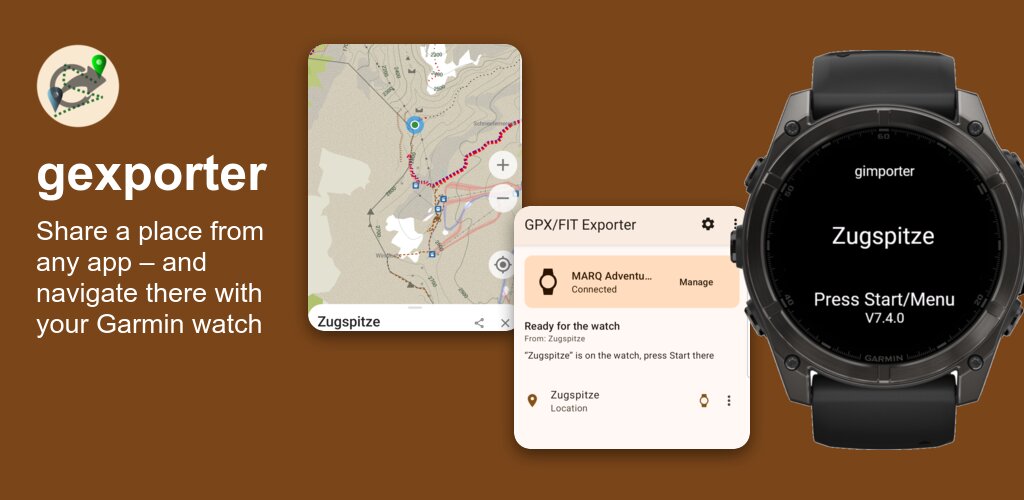
gexporter (Android) and gimporter (Connect IQ app and widget for Garmin watches, bike computers and handhelds) bring GPX and FIT tracks from your phone onto your Garmin device: no cable, no upload to Garmin Connect, no account. gexporter runs a small web server on the phone, gimporter downloads the course through the Bluetooth connection of the Garmin Connect app and imports it. Both are free and open source at github.com/gimportexportdevs.
Until now, the flow was: copy GPX files to the phone, open gimporter on the watch, pick the track from a list. That still works. But the watch is now no longer the only place where things happen.
Share a place, navigate there
This is the feature that was really missing. You find the trailhead, the car park or the meeting point on your phone, and you want to go there with the watch. Now you just share it to gexporter:
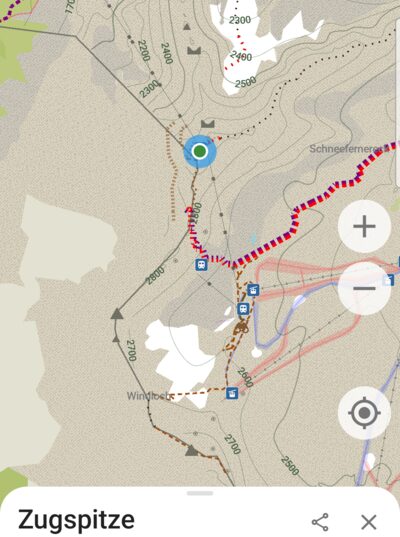
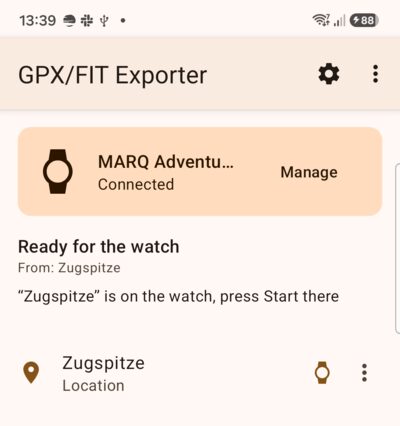
- In Organic Maps, Google Maps or any other app: Share → gexporter.
- gexporter opens gimporter on the watch and pushes the place.
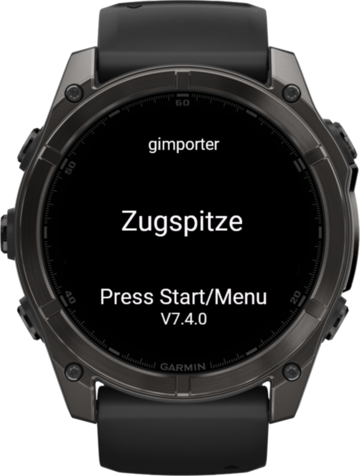
- The watch shows the name of the place: press Start, choose navigation, and off you go. Watches with maps calculate the route there themselves.
What counts as a “place” is deliberately generous. gexporter accepts:
geo:URIs, including the labelledgeo:0,0?q=lat,lon(Name)form, which is what many apps emit when you share or “open with”,- Google Maps links, including the short
maps.app.goo.gllinks, which are resolved to find the coordinates. Place links that only carry a name and an address are geocoded via OpenStreetMap’s Nominatim; gexporter never guesses a position from the page content, - Organic Maps links (
omaps.app,ge0://,om://), decoded from the compact ge0 format, - plain coordinates in any shared text, like
47.42122, 10.98526in a chat message.
On the watch, the place is saved as a waypoint and handed to the native
navigation via exitTo. If gimporter is not running when the place arrives,
the message waits in the Connect IQ mailbox; a place older than 15 minutes is
ignored, so you don’t get navigated to yesterday’s meeting point.
Tap a track, it’s on your watch
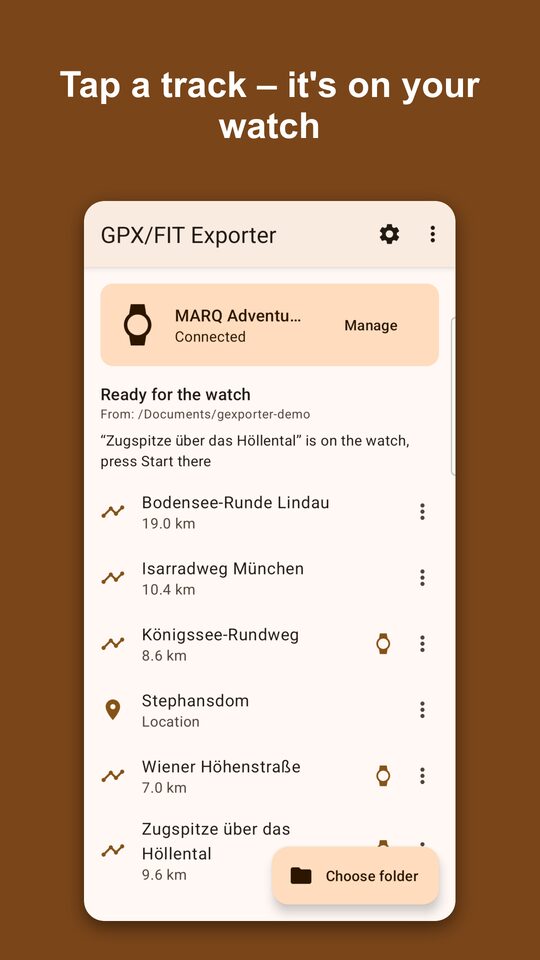
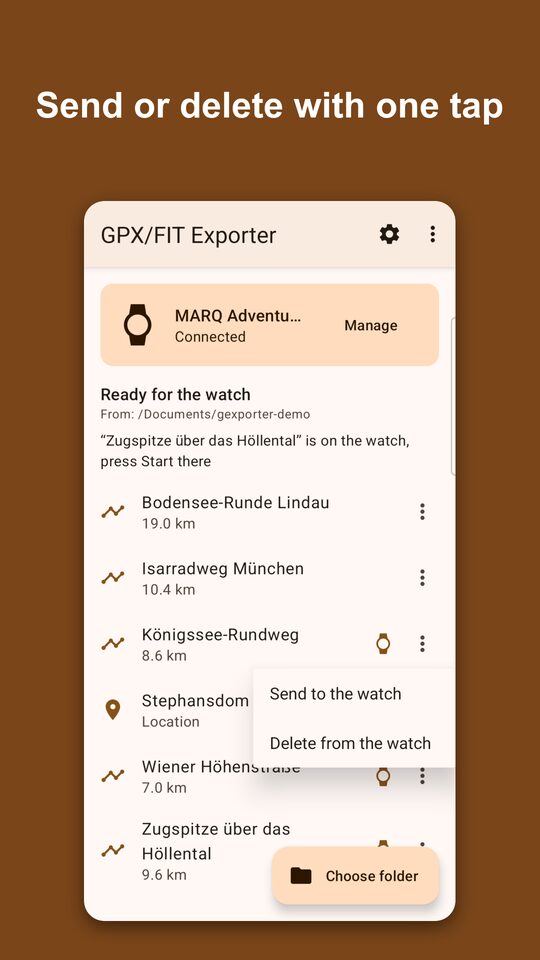
gexporter got a new main screen. Choose a folder with your GPX and FIT files (or share files to gexporter from any app), and every track shows up with its length. Tap one, and gexporter:
- starts gimporter on the watch if it is not already running,
- pushes the track, which gimporter downloads and imports right away,
- shows “Track is on the watch, press Start there” once the watch confirms.
On the watch, the track name appears with “Press Start”. Pressing Start leaves gimporter and opens the course in the native course view, ready to go. Until you press Start, the phone can send more tracks; the latest one wins. If the watch is still busy importing, gexporter holds the next request and sends it as soon as the watch is ready, instead of losing it.
A small watch icon next to an entry marks what is already on the watch. The ⋮ menu sends an entry, deletes it from the watch or removes it from the list; swiping an entry deletes it from the watch.
Manage the watch from the phone
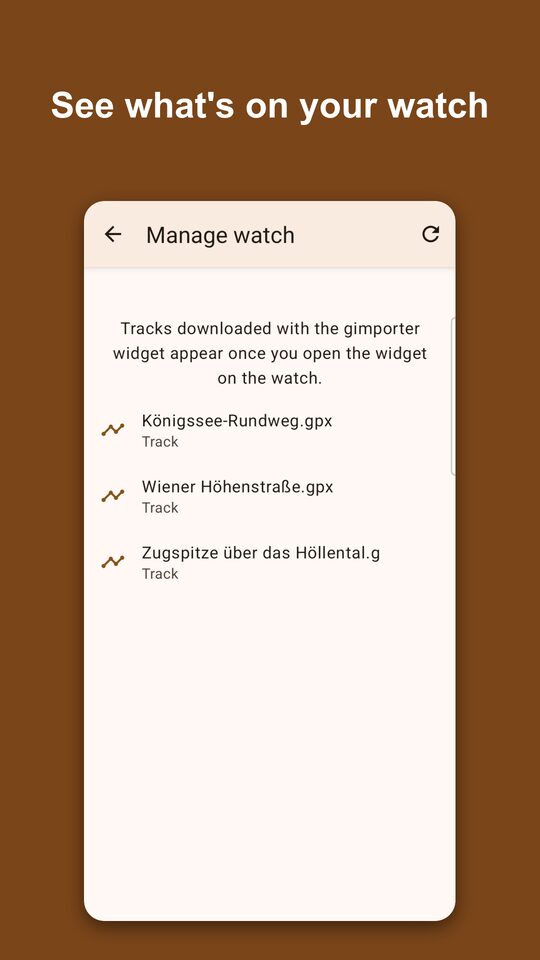
Manage on the watch card lists the tracks and places gimporter has put on the watch, for the app and the widget, and lets you delete them. No more digging through the watch’s course menu to clean up last summer’s tours.
Sending the same track twice no longer creates a second copy: gimporter fingerprints every course it imports and reuses the existing one.
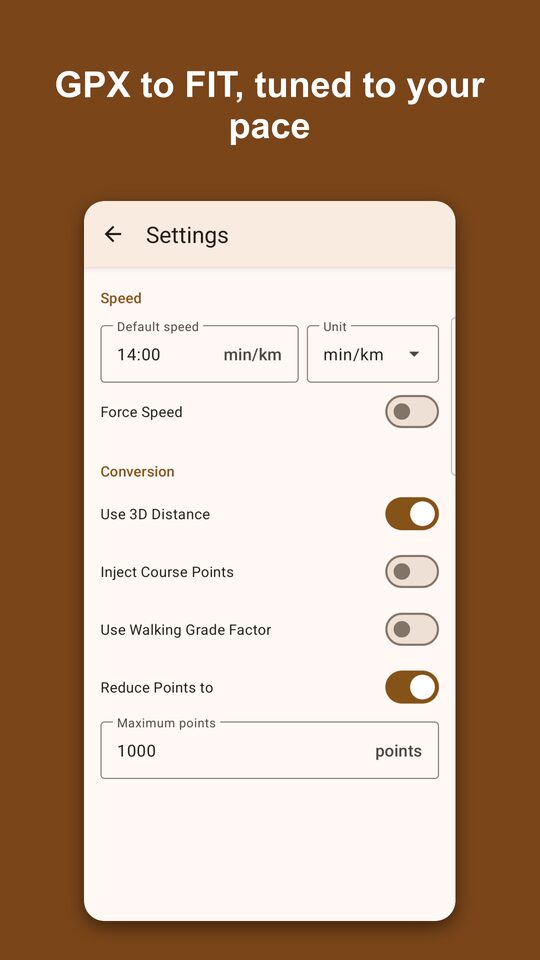
The conversion settings moved to their own screen: default speed and unit, 3D distance, course points (turn hints on the watch), the walking grade factor and point reduction for devices with a point limit.
The watch side
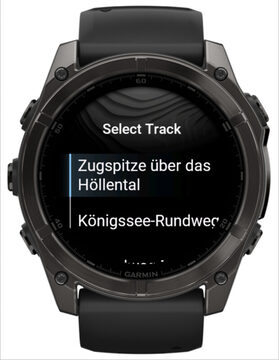
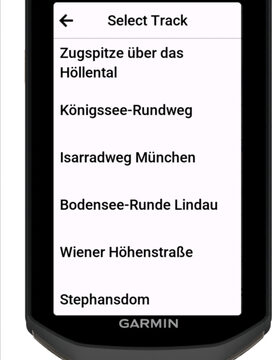
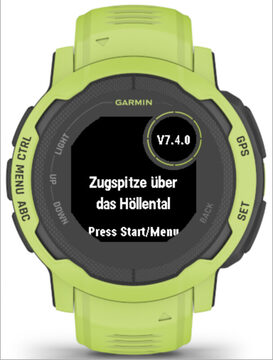
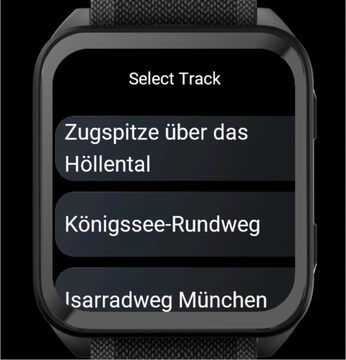
gimporter’s screens are now drawn in code instead of 21 per-device layout files. The start screen fits every display: long names wrap and shrink, nothing is cut off on round watches, and the Instinct subscreen shows the version. Track lists use the system’s scrolling menu where the device has it, with long names shown in full, and fall back to the classic menu on older devices.
Internally, gimporter became a proper state machine (idle, waiting for the phone, requesting the port, loading the list, downloading, choosing a similar course, ready to start, leaving). Every transition goes through one place, which also reports the state to the phone. That is what makes the phone’s status line reliable, and stale callbacks from an earlier download can no longer derail the current one. Messages to the phone go through an outbox that sends one at a time and times out instead of stalling.
New devices: Approach S72, D2 Mach 2 Pro, Edge 1060, Enduro 4, eTrex Touch, Forerunner 70, MARQ (Gen 3) and Venu X1.
Old devices are not forgotten. The Oregon 7xx (API level 2.2) has neither
Communications.transmit nor Application.Storage; gimporter checks for both
and simply works the classic way there. On some older Approach, D2 and Edge
models the content API crashes even behind a has check, so those builds
leave it out at compile time.
Old and new mix fine
Not everybody updates both apps on the same day. All four combinations work:
- new gexporter, new gimporter: everything above,
- new gexporter, old gimporter: gexporter notices that the watch does not answer the new requests, tells you to pick the track from gimporter’s list on the watch, and does not offer places to a gimporter that cannot handle them,
- old gexporter, new gimporter: gimporter shows the track list as before,
- old and old: unchanged.
29 languages
gexporter’s UI is now translated into 28 languages besides English, from Arabic to Vietnamese, and so is the Play Store listing.
How it was tested
Every change was tested on a real MARQ and Android phone before it went out.
For the long tail of devices, gexporter got a simulator mode: a debug build
started with --ez simulator true talks to the Connect IQ simulator over
adb instead of Bluetooth, so the complete phone-to-watch flow runs against
any simulated device. That sweep caught the layout problems and the old-API
crashes mentioned above.
The CI runs gimporter’s unit tests on one device per special case (no
transmit, no content API, no fitTextToArea, subscreen, an old reference
watch, a current AMOLED watch, an Edge) and builds the store packages for all
devices.
Get it
- gexporter 20.3.0 on Google Play
- gimporter 7.4.0 in the Connect IQ store as app and widget
- Source and issues: gexporter, gimporter
- Discussion in the Garmin forum
Both apps are free, open source, without ads and without tracking. If something does not work with your device, please open an issue; that is how most of the fixes in this release started.